

Quick Start
Every page on aegean.ai has a contextual menu (top-right corner) with options to:- Open in Claude - Start a conversation with the page content loaded
- Open in Perplexity - Search and discuss the topic with web context
- Connect to VS Code - Install our MCP server for real-time doc access
- Connect to Cursor - One-click MCP integration for Cursor IDE
VS Code Integration (Recommended)
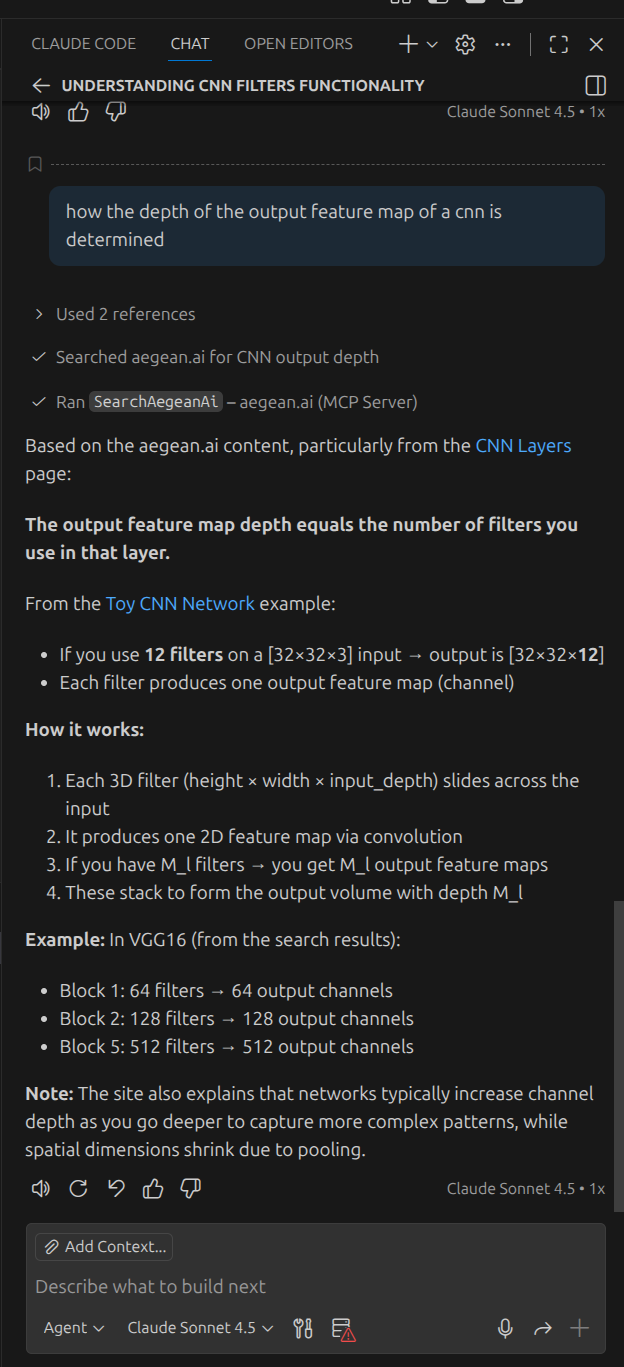
For the best experience while coding, connect our documentation directly to VS Code using the Model Context Protocol (MCP).Demo: Asking About CNN Filters
Once connected, you can ask questions directly in VS Code Chat. Here’s an example asking “how the depth of the output feature map of a CNN is determined”: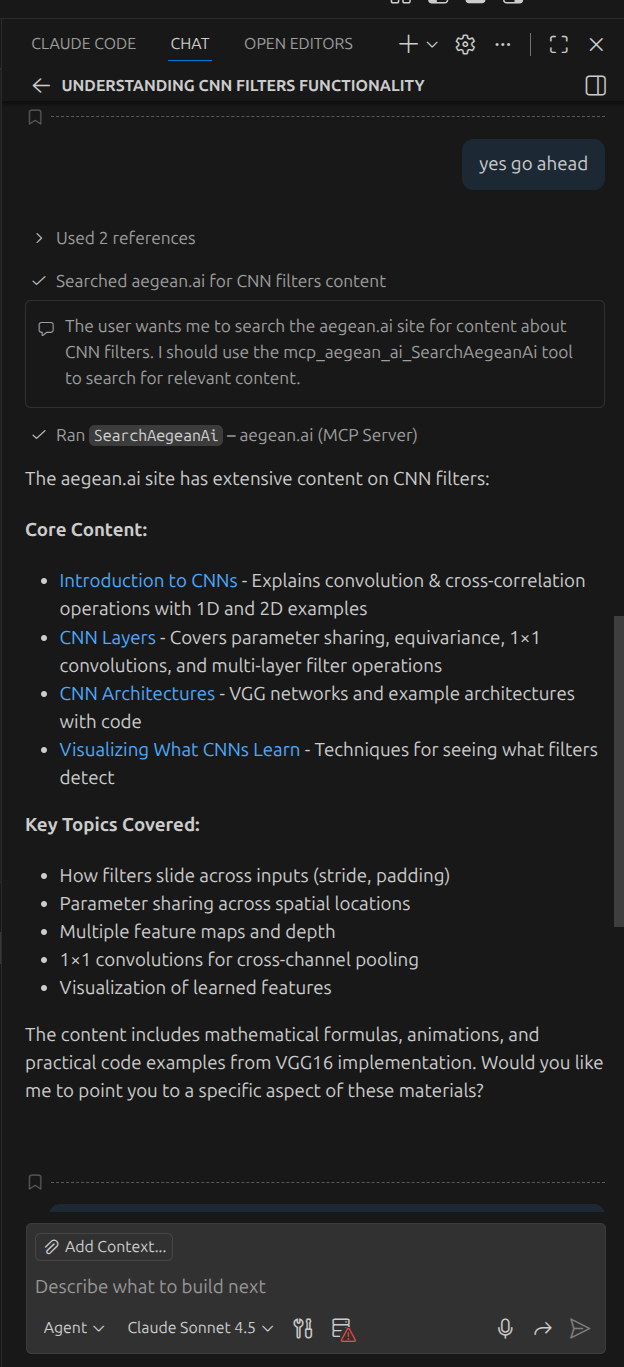
Option 1: One-Click Install
- Navigate to any page on aegean.ai
- Click the contextual menu (top-right)
- Select Connect to VS Code
- VS Code will prompt you to install the MCP server
Option 2: Manual Configuration
Create or edit.vscode/mcp.json in your workspace:
Claude Code Integration
If you use Claude Code (Anthropic’s CLI), add our MCP server:- “How do transformers compute attention?”
- “Explain the policy gradient theorem”
- “What is the difference between object detection and semantic segmentation?”
Cursor IDE Integration
Option 1: One-Click Install
- Navigate to any page on aegean.ai
- Click the contextual menu (top-right)
- Select Connect to Cursor
Option 2: Manual Configuration
- Open Command Palette (
Cmd+Shift+P/Ctrl+Shift+P) - Search for Open MCP settings
- Select Add custom MCP
- Add to
mcp.json:
Claude Desktop Integration
- Open Claude Desktop settings
- Navigate to Connectors
- Select Add custom connector
- Enter:
- Name:
aegean.ai docs - URL:
https://aegean.ai/mcp
- Name:
- Select Add
Open in Claude / Perplexity
For quick questions about a specific page:- Navigate to the relevant page (e.g., a lecture on CNNs)
- Click the contextual menu (top-right)
- Select Open in Claude or Open in Perplexity
- A new conversation opens with the page content already loaded
What You Can Ask
Once connected, try questions like:Available Resources
Course lecture content (under aiml-common/) is available through the MCP server for authenticated AI tool access, but is not included in the public llms.txt index.
Tips for Effective Use
Be specific in your questions
Be specific in your questions
Instead of “explain neural networks”, ask “how does a CNN produce an output feature map with depth D using multiple filters?”
Reference specific lectures
Reference specific lectures
Ask “based on the CNN layers lecture, how does stride affect output dimensions?”
Request code examples
Request code examples
Ask “show me PyTorch code for implementing attention based on the transformers lecture”
Compare concepts
Compare concepts
Ask “compare policy gradient methods vs Q-learning based on the RL lectures”
Troubleshooting
MCP server not connecting
MCP server not connecting
Verify the URL is correct:
https://aegean.ai/mcp. Check your network connection and try restarting your IDE.Claude Code can't find the tool
Claude Code can't find the tool
MCP tools load at session startup. Run
claude mcp list to verify the server is connected, then start a new session.VS Code not showing MCP option
VS Code not showing MCP option
Ensure you have the latest VS Code with AI features enabled. The MCP integration requires Copilot or similar AI extension.
Found an error on this page? Report an issue.