

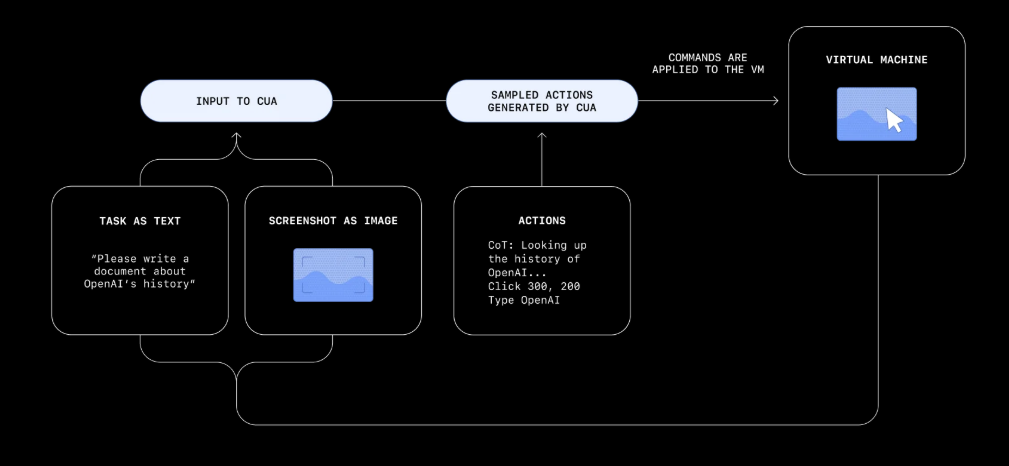
System Architecture
The system integrates several key components into a cohesive pipeline:Web Browser Integration
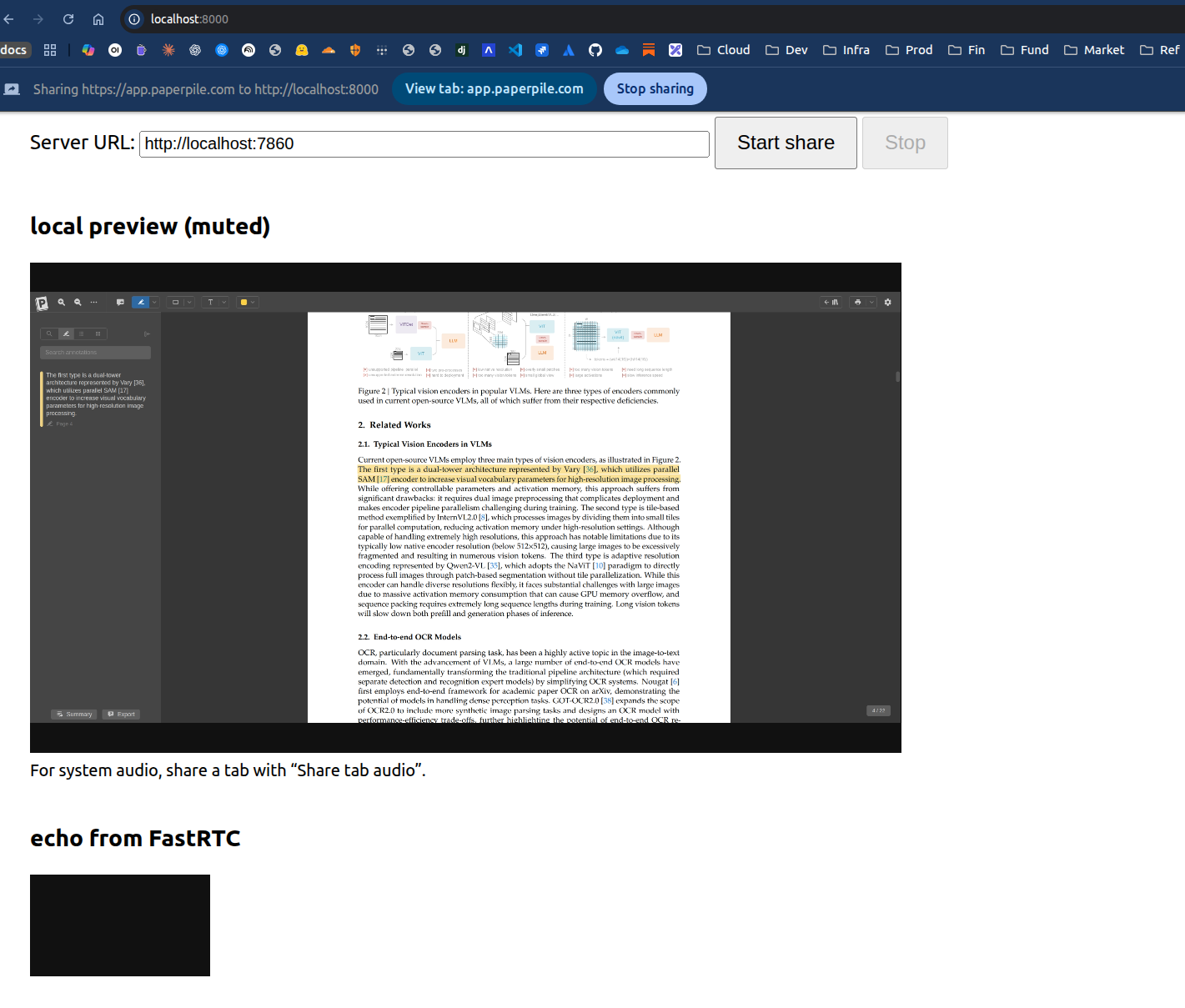
The system processes academic papers displayed in standard PDF readers (such as Adobe Acrobat Reader) within a web browser. Papers containing text, tables, images, equations, diagrams, and figures are analyzed in real-time as users navigate through them. The demonstration uses papers from arXiv, including this reference paper, to showcase multi-modal content understanding.WebRTC Screen Streaming
AI Agent Framework
The agent is built using Pydantic AI and integrates multiple tools for enhanced functionality. Web search capabilities provide metadata about paper references through Semantic Scholar APIs and Google Scholar APIs, enabling contextual understanding of citations and related work.Vision Language Model (VLM)
Visual processing is handled by Deepseek OCR, which processes captured screen frames. The system implements intelligent frame downsampling and stitching to create coherent page representations. An optimization strategy detects publicly available papers on arXiv and processes them directly through the VLM, enabling immediate citation resolution even when users don’t scroll to the references section.Reasoning Large Language Model (LLM)
Qwen2.5 serves as the reasoning engine, processing VLM outputs and web search results to generate comprehensive answers to user questions. The system runs locally with options for cloud-based LLM APIs (Ollama, LM Studio) for environments without sufficient local compute resources.Demonstrated Capabilities
The Gradio-based interface enables users to:- System Configuration: Select VLM and LLM models, configure web search API keys, and adjust processing parameters
- Screen Sharing Session: Start WebRTC streaming and real-time content capture
- Natural Language Querying: Ask questions about displayed content and receive contextual answers
- Interaction Persistence: Store extracted text, images, tables, figures, highlights, questions, answers, and references in MongoDB for future analysis
Example Interactions
The system demonstrates advanced understanding through several capability showcases: 1. Tutorial Explanations: When users highlight text in yellow, the system provides detailed tutorial-style explanations of the selected content, breaking down complex concepts into accessible language. 2. Intelligent Auto-Highlighting: As users scroll through papers, the system automatically identifies and highlights (in purple) the most important sections and figures, providing explanations of their significance to the overall research contribution. 3. Table Interpretation: The system analyzes highlighted tables or table references, explaining the data presented, trends observed, and implications for the research. 4. Critical Analysis: The system identifies the most impactful ablation study in a paper, explaining why specific experimental variations provide the strongest evidence for the proposed approach. 5. Diagram Replication: The system can replicate block diagrams from papers into Mermaid and Excalidraw formats, converting visual architectures into editable diagram formats.Technical Approach
The implementation demonstrates several key technical achievements:- Screen-Only Processing: All content extraction occurs through VLM processing of screen images, without requiring PDF file downloads or text extraction libraries
- Local Model Execution: VLM and LLM processing runs entirely on local or controlled cloud instances, maintaining data privacy
- Multi-Modal Understanding: Seamless integration of text, tables, figures, and equations from complex academic papers
- Real-Time Analysis: Streaming architecture enables responsive interaction as users navigate documents
- Contextual Search Integration: External web search augments local processing with citation metadata and related research
Applications
This technology demonstrates practical applications across several domains:- Academic Research: Accelerated paper comprehension with real-time explanations and critical analysis
- Technical Documentation: Interactive assistance for understanding complex manuals, specifications, and reports
- Educational Support: Tutorial-style explanations of challenging concepts in textbooks and course materials
- Professional Reading: Enhanced understanding of business reports, legal documents, and technical specifications
- Accessibility: Screen content interpretation for users who benefit from alternative content representations
Implementation Details
The system architecture showcases modern AI agent design patterns, including:- WebRTC-based screen capture for privacy-preserving content access
- Pydantic AI framework for structured agent interactions
- Vision-language model integration for multi-modal understanding
- Local LLM deployment for cost-effective and private reasoning
- MongoDB persistence for interaction history and learning
Found an error on this page? Report an issue.