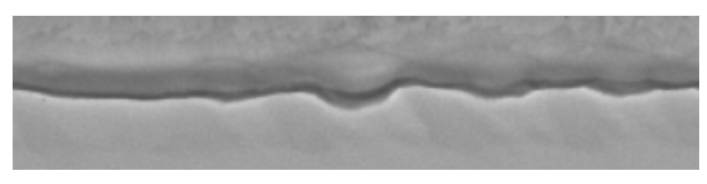
Data Collection

Our data collection was performed at the production facility. We used the collected data to populate the metadata of the created dataset.

Semantic Zones and Interpretable Features

The sideseam can be characterized by 8 zones. Each zone except from zones 1 and 8 where we see no significant variability across machine settings, behaves differently depending on the machine setting. Seam Zones
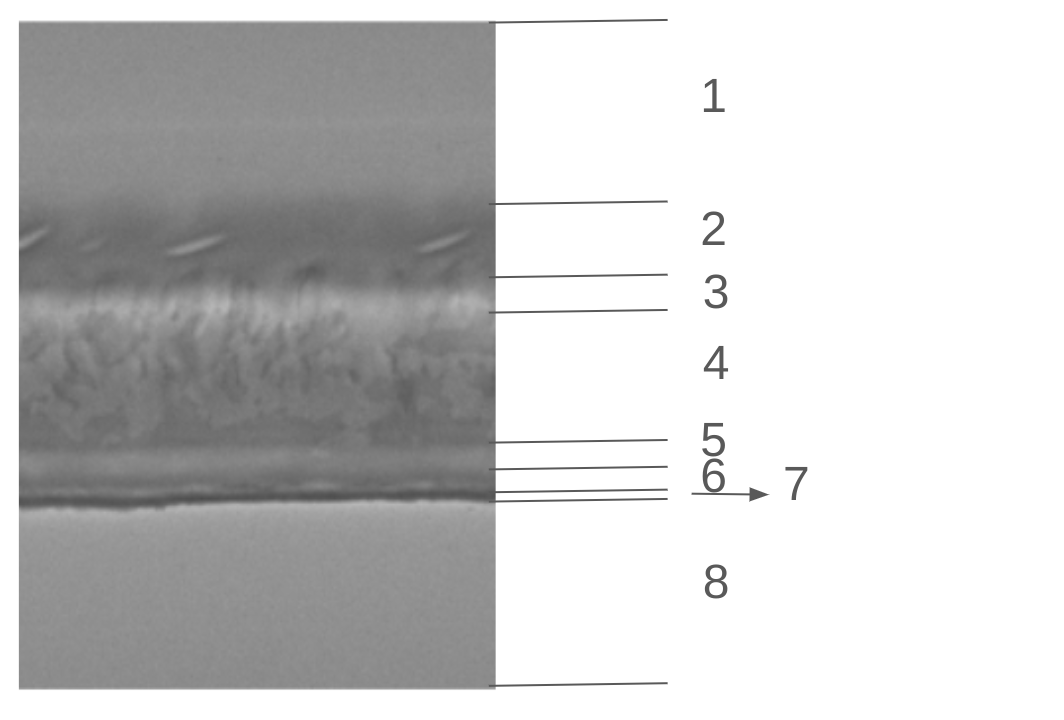
Zone Variability by Machine Setting

Machine SettingZone 2Zone 3Zone 4-Zone 5Zone 6Zone 7
Ascattered to continuous engravingsgroovesmedium greygrooveswaving and dark gray line
A1deformed continuous engravingsshallow groovesmedium greyshallow groovewaving and dark gray line
A2deformed continuous engravingsshallow grooves with bumpsmedium greyshallow grooves with bumpswaving and dark gray line
Bscattered engravingsshallow groovesdarker greyshallow groovesslightly waving and dark gray line
Csmooth with no engravingsgroovesmedium greygroovesstraight and dark gray line
Ddeformed engravingsgroovesmedium greygroovesstraight and dark gray line
Ehighly deformed engravingsgroovesdarker greygroovesstraight and dark gray line
Fscattered engravingsshallow groovesmedium greygroovesstraight and dark gray line
The question that we can now pose is whether the machine setting images can be used to distinguish between the nominal and anomalous condition. We need to map some of the impact seen by changing the machine setting to an anomalous condition and this can be done in two ways:
  1. By detecting a feature that we believe leads to a stress test failure of the product.
  2. By actually performing a stress test and mapping the results to the machine settings.
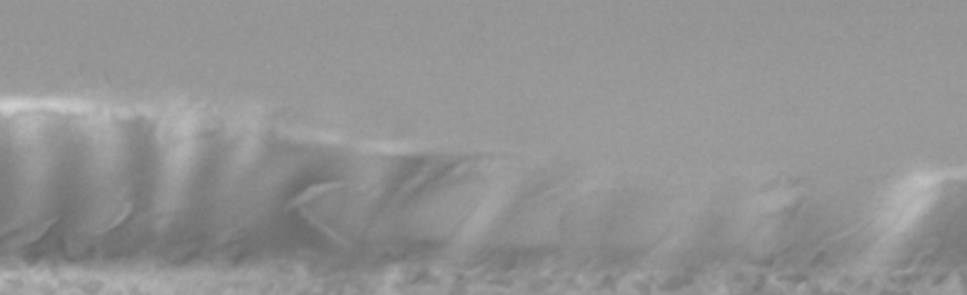
For the first case, we highlight two features: Deformation in Zone 2 Waving line in Zone 7 as a result of too much heat For the second case, after examining the stress test results, for the purposes of this report, the image class C is mapped to the FAIL anomaly class (anomalous condition).

Observations

Images from the 12 machine settings appear similar to each other. The similarity between the images is due to two factors:
  1. Different machine settings belong to the same machine setting category and within the category they affect similarly the images.
  2. The images are blurred due to an incorrect focus of the camera during data collection. A de-blurring algorithm may result in images with much better discrimination.
The image similarity poses a problem for any computer vision model to distinguish between the nominal and anomalous images and therefore perform with the required accuracy.
The machine setting categorization allows us to merge the 12 machine settings to 4 categories:
Image ClassesMachine Configuration Category NameSemantics
A, B, C, A1, A2δTDifference in Temperature
D, E, FδPDifference in Pressure
H, IδLDifference in Line rate
J, KδODifference in seam Overlap

Plant Variability

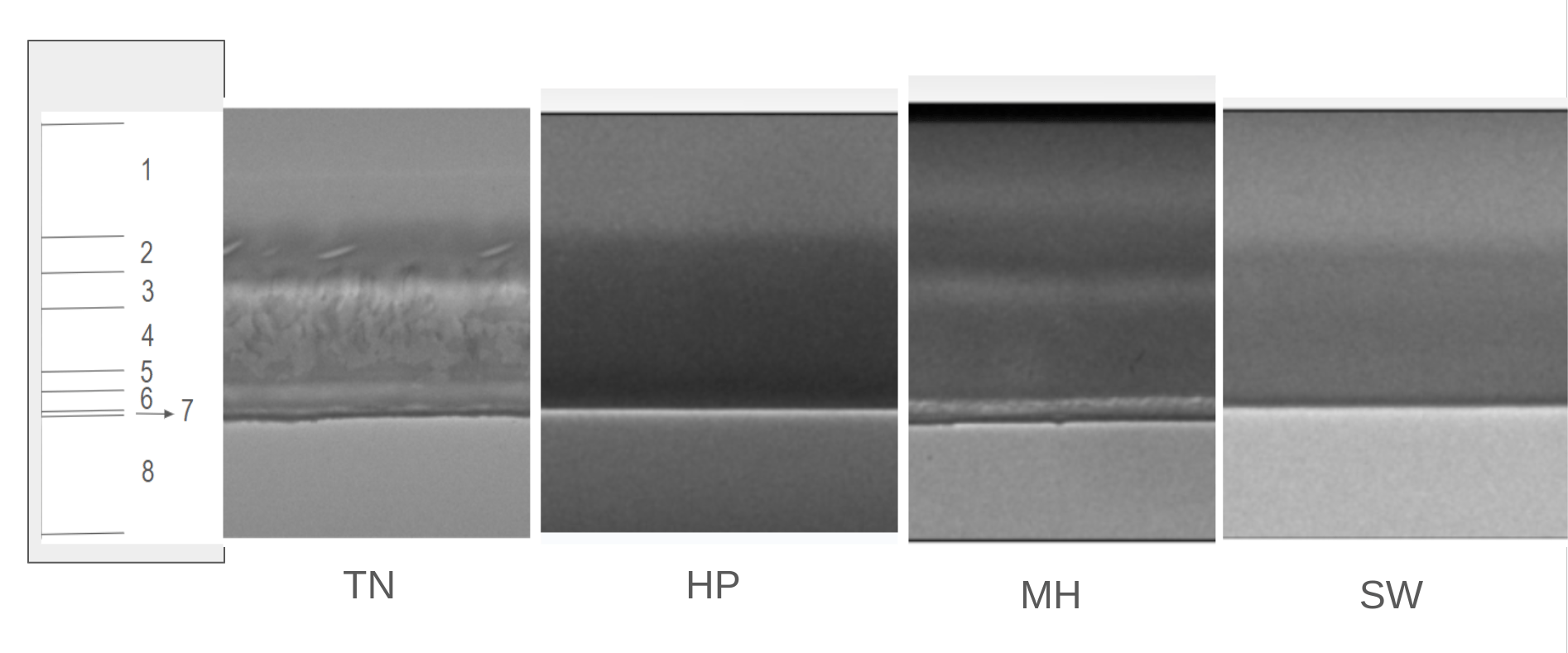
On top of the variability across machine settings, the zones also exhibit variability across plants. Cross-plant seam variability The model must be able to perform well across plants and therefore the model must be exposed to images from all plants and domain adaptation may be required.
Connect these docs to Claude, VSCode, and more via MCP for real-time answers.